Technology is the engine that powers businesses. Seamless email, easy remote file access, and secure systems are the hallmarks of an efficient operation. But when critical hardware fails or a server crashes, that momentum can grind to a halt.
That’s why one of the most critical decisions business owners make is choosing between traditional IT support vs. managed IT services when planning for their company’s technology needs. Picking the right service model is crucial for long-term operational success and financial stability.
Key takeaways
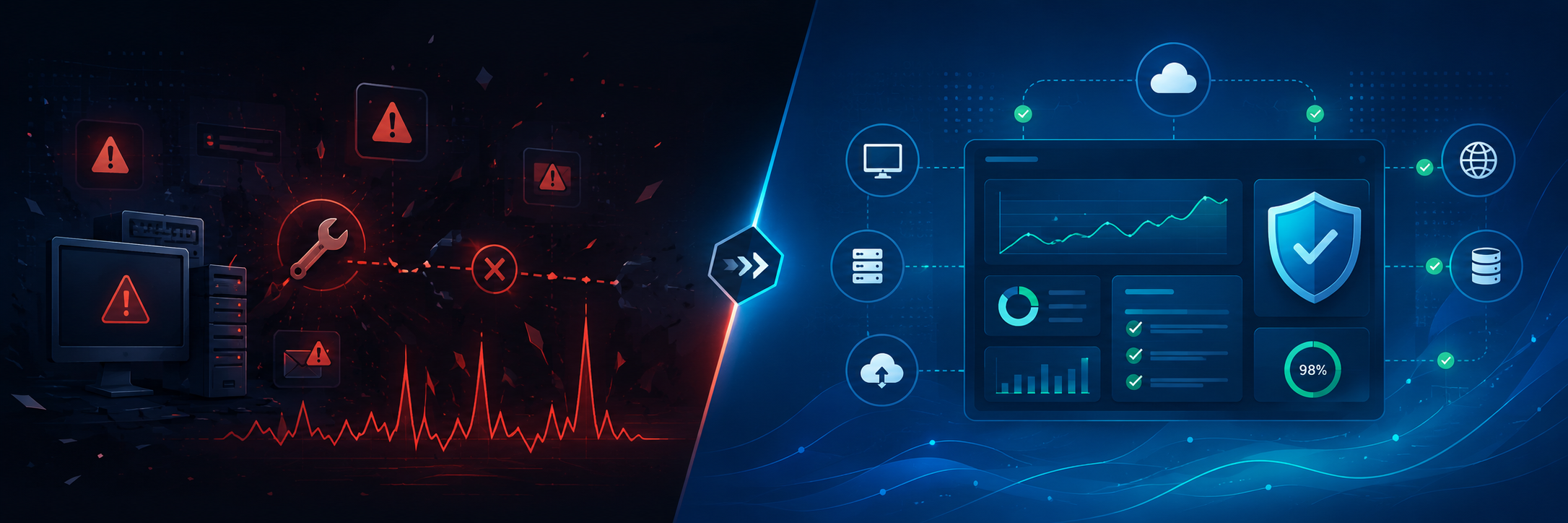
- Traditional IT support operates on a reactive, break/fix model, while managed services offer a proactive approach to IT management, preventing problems before they disrupt work.
- A managed service provider delivers routine maintenance, continuous monitoring, advanced security, and strategic IT planning.
- Businesses often choose managed IT services to achieve stronger security, better long-term IT management, and more predictable costs.
- The ideal IT service model for your company depends on your business goals, internal resources, and reliance on technology.
- For businesses with an existing in-house team, co-managed IT services allowsyour team to partner with an external service provider to fill knowledge gaps and boost operational efficiency.
What is traditional IT support?
Traditional IT support, also known as the break/fix model, is a reactive approach to technology issues. Only when a problem arises — say, a server crashes, a printer malfunctions, or an employee is locked out of their email — do you contact a technician for help. This service model typically operates on a per-service call or project-by-project basis, meaning you pay to resolve an immediate issue.
Common examples of traditional support include:
- Hardware repairs and replacements: Fixing physical equipment, such as a broken laptop screen or a fried motherboard, after it fails
- Software troubleshooting and debugging: Resolving application crashes, error messages, and user login problems as they occur
- Emergency support during an outage: Restoring critical systems and connectivity after an unexpected server or internet outage
- Basic network setup: Connecting new office routers, identifying Wi-Fi dead zones, or replacing faulty cables
What are managed IT services?
Managed IT services are a proactive and comprehensive approach to technology management. Instead of fixing problems as they occur, a managed service provider (MSP) continuously monitors, maintains, and supports your entire technology infrastructure to prevent issues from arising in the first place.
This model usually involves several key components to keep your operations running smoothly:
- Network management and help desk: From day-to-day network administration to providing help desk support for your staff, MSPs handle all your IT-related issues.
- Continuous oversight and monitoring: MSPs use continuous monitoring tools to watch over servers, workstations, networks, and applications, detecting performance bottlenecks or failing hardware before they affect users.
- Comprehensive cybersecurity protection: In the face of constant cyber threats, MSPs implement robust security measures, including antivirus software, endpoint protection, routine system patching, and active firewall management to deliver enhanced security.
- Data and cloud management: As companies increasingly embrace cloud computing, they need experts to manage these complex environments. MSPs offer professional cloud management so your team can securely access data storage and other cloud services from anywhere.
- Compliance support: Many organizations must adhere to industry regulations on data privacy. Dedicated IT service providers can assist with risk management, help draft security policies, and maintain the necessary documentation to ensure compliance.
- Strategic IT planning: A reputable MSP links IT decisions to your business goals. They help you plan for future upgrades, improve workflows, and advise on integrating new technologies that support your long-term growth.
By outsourcing your IT needs to a qualified third-party provider, you gain access to a pool of specialized expertise and knowledge that most small businesses cannot afford to maintain in house.
Key differences between traditional IT support and managed services
There are a few key distinctions between these two IT service models.
Reactive vs. proactive support
Traditional IT support is reactive. When a piece of hardware breaks and operations halt, you call for help.
In contrast, managed IT services offer proactive support. An MSP monitors your systems for warning signs, applies necessary software updates, and resolves IT issues before they can interrupt your operations. This proactive management minimizes downtime and boosts productivity.
Short-term fixes vs. long-term management
Traditional tech support typically addresses isolated issues one at a time. A technician might fix a broken laptop, restore a single user’s access, or troubleshoot a specific software application.
Managed services, on the other hand, involve the ongoing management of your entire IT infrastructure. Your MSP evaluates how your IT systems work together and support your daily business operations.
Moreover, managed services provide scalable solutions that grow with your team. As you add users, locations, devices, or applications, your IT partner can adapt their support and security to meet your changing needs. With your MSP’s expert guidance, you can choose tools that align with your goals rather than adding systems that create confusion. This insight is especially valuable for businesses exploring emerging technologies.
Unpredictable billing vs. predictable costs
With the traditional break/fix model, your IT costs can fluctuate every single month. A minor software glitch may cost very little to fix, while a major server outage can become devastatingly expensive in just a few hours.
Meanwhile, managed services typically operate on a fixed monthly rate or an annual subscription fee. For many businesses, this predictability makes budgeting much easier.
Managed service agreements can also deliver huge cost savings by preventing problems, such as:
- Expensive emergency repair fees
- Extended, revenue-draining downtime
- Major data loss
- Severe security incidents and subsequent fines
- Incompatible technology purchases
While traditional support might seem cheaper at first, the hidden costs of downtime and recurring issues can quickly add up. A managed IT services plan is almost always more cost-effective because it prioritizes prevention, strategic planning, and long-term network stability over firefighting issues as they crop up.
When traditional IT support might make sense
Traditional, ad hoc assistance may work for small businesses with simple systems and minimal technology needs. If your company is just starting with only a few employees, basic software, and low operational risk, paying for support as needed might be sufficient. This model also works for one-off projects, such as a specific hardware installation or a small office relocation.
However, this reactive approach becomes less sustainable as your company expands. More employees, devices, and complex applications introduce a greater potential for problems. At a certain point, the break/fix model will no longer meet your operational needs.
When managed IT services are a better fit
If your business relies on technology to function daily, partnering with a managed service provider is the logical next step.
You will benefit from managed IT services if:
- Any downtime negatively affects your sales or customer service reputation.
- Your remote or hybrid team depends on advanced cloud tools.
- You require stronger protection against malware.
- Your current systems are outdated and hard to manage.
- You want to achieve more predictable and transparent IT spending.
- You need expert guidance to plan for long-term growth.
Choosing the right service model
To decide between traditional IT support and managed services, consider the following questions:
- How frequently do technology issues disrupt our workflow?
- Can we afford unexpected downtime during our peak season?
- Do we need to urgently strengthen our security to protect sensitive client data?
- Are our current systems hindering growth rather than helping us scale?
- Do we currently have the necessary internal IT expertise to survive a cyberattack?
- Would a predictable, flat-rate monthly IT budget improve our financial planning?
- Do we require professional guidance to navigate compliance or industry regulations?
If you need only occasional help with low-stakes issues such as a jammed printer, traditional IT support might be enough. However, if your business depends on secure, fast, and reliable IT to generate revenue, a proactive approach to IT management is a wiser, safer long-term choice.
Co-managed IT services: Augmenting the capacity of an in-house team
Some growing businesses may already have an in-house team or one employee who handles technology. While these internal employees understand the company culture and can respond quickly to daily tech issues, a small team can’t be expected to know and handle everything. Skills for enterprise-level cybersecurity, complex compliance audits, and disaster recovery are often beyond their scope.
This is where co-managed IT services come in. Rather than replacing your staff, this collaborative model supports them. Your internal team could continue to handle day-to-day needs, while an external provider offers advanced security, specialized skills, and robust IT management software. This hybrid approach helps enhance operational efficiency and frees up your internal team to focus on higher-value, revenue-generating projects.Don’t wait for a costly IT disaster to happen before strengthening your tech infrastructure. Contact the experienced IT professionals at PC Pro Group today to learn how our comprehensive managed IT services can support, secure, and scale your business now and for the future.